01
How to use it
Once registered and logged in, you are shown the page below.
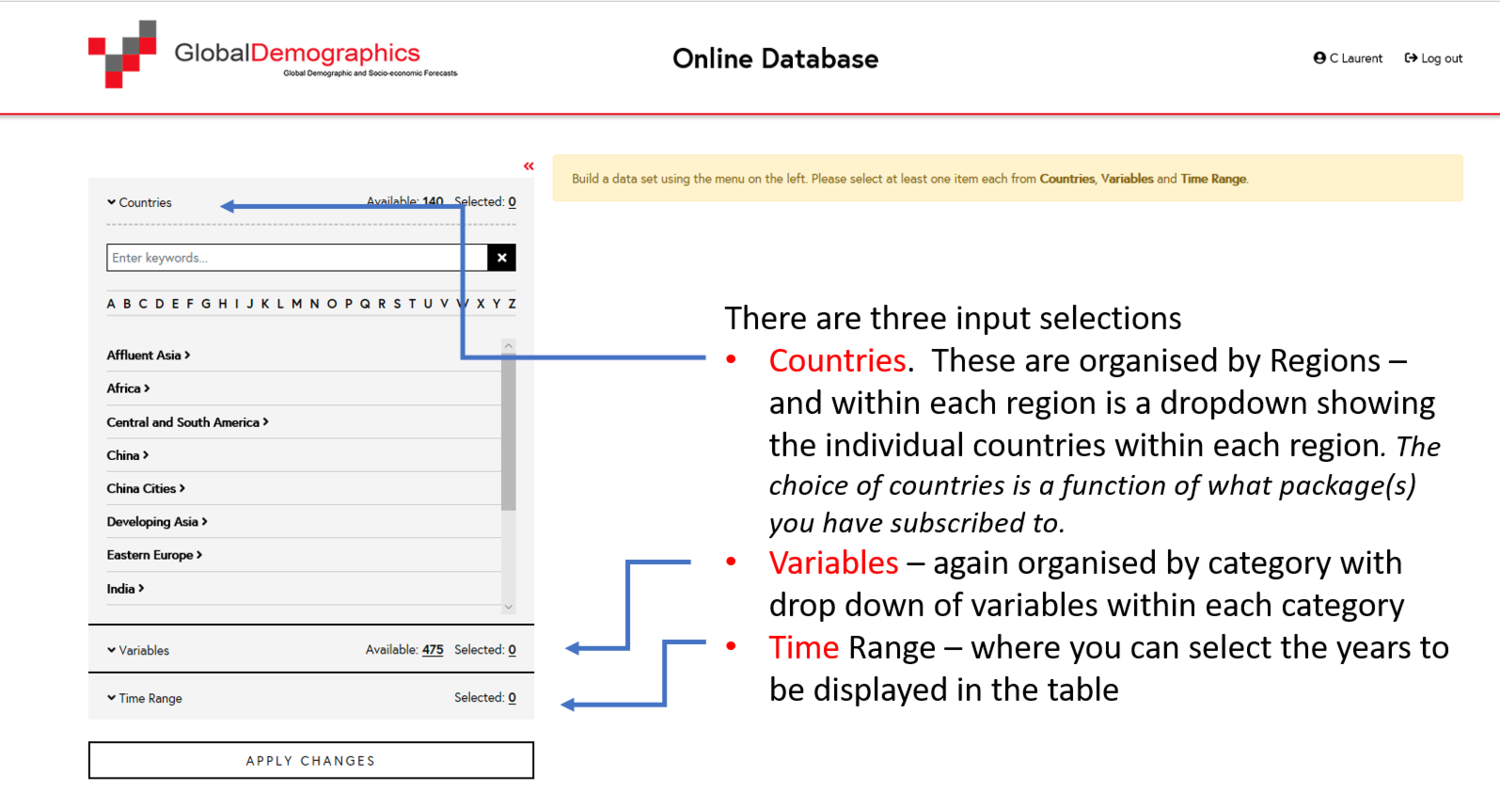
We designed the Online Database so you can extract exactly the data you need — for your analysis or report — without any hassle. Five steps, start to finish. Click any screenshot to enlarge it.
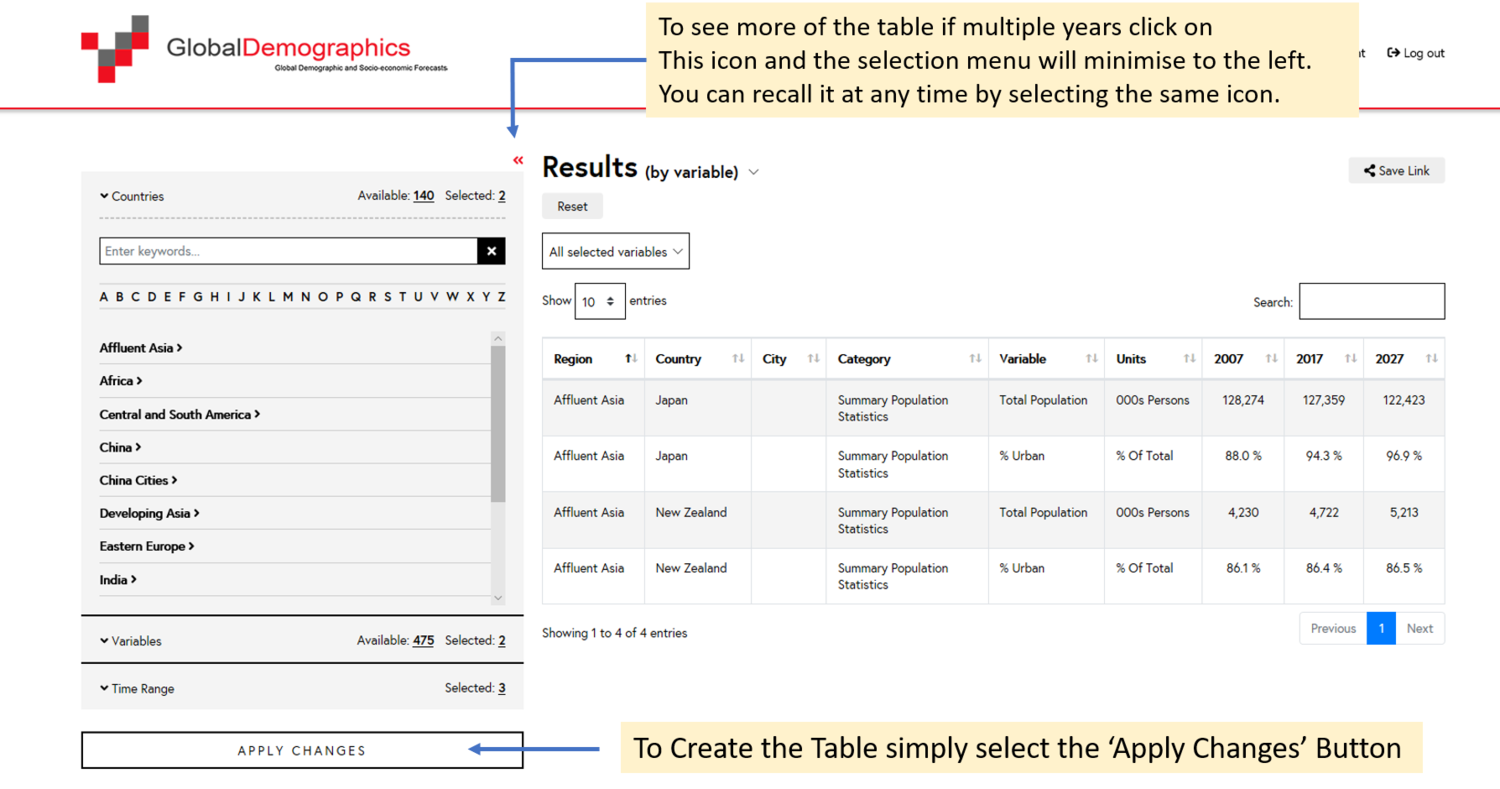
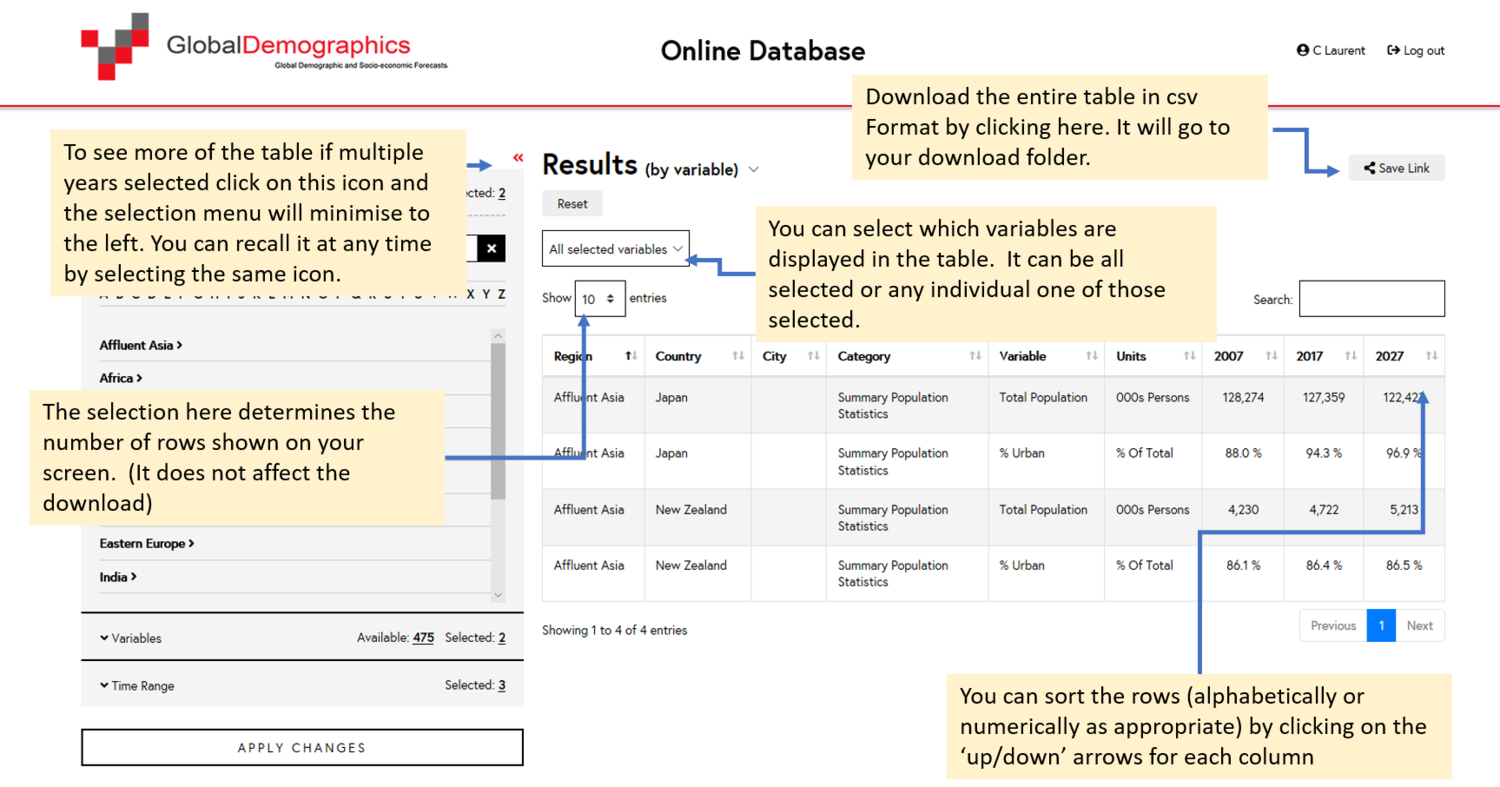
Select the countries, provinces or China cities to include.
Select the variables to display, organised by category.
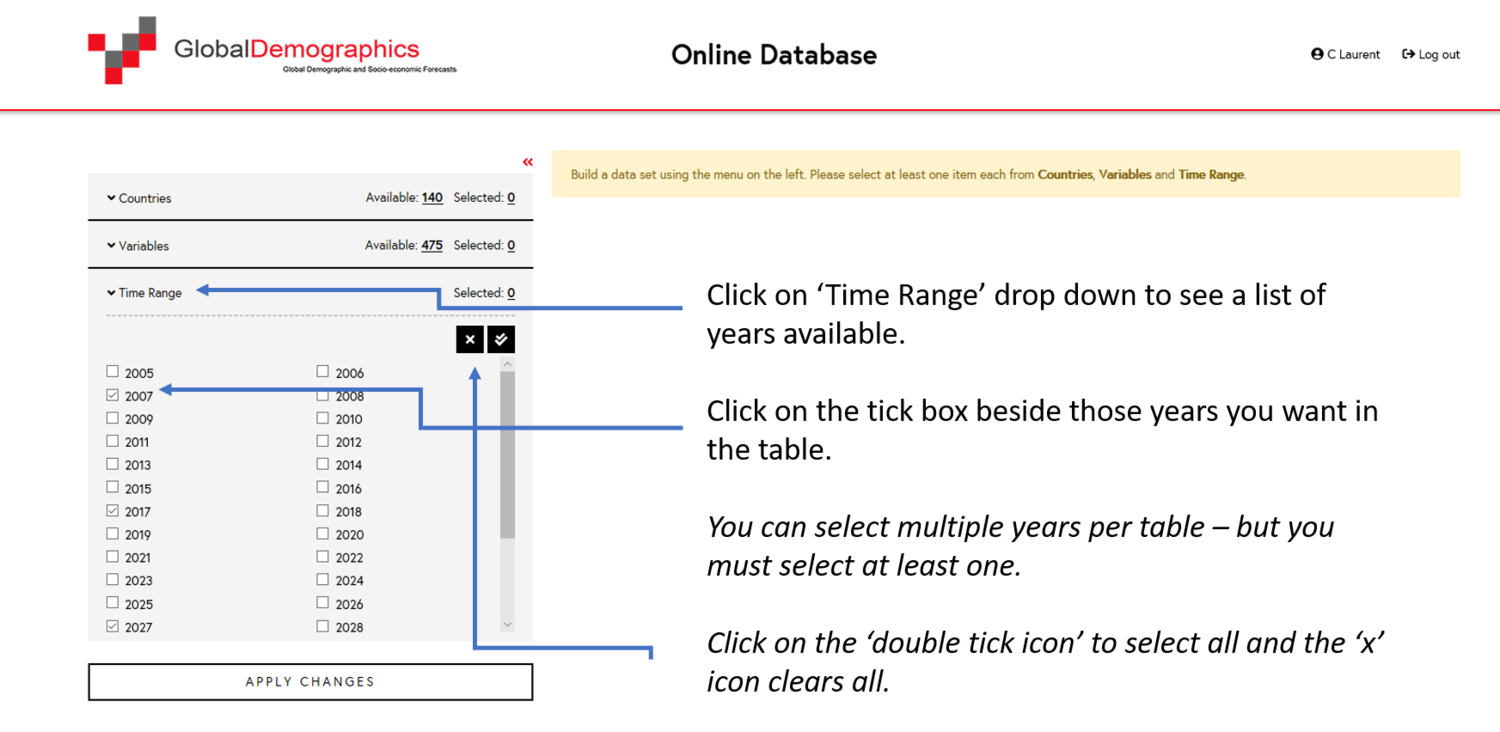
Select the years to display in the table.
Click Create Table.
Download the resulting table in CSV format.
Once registered and logged in, you are shown the page below.
Choose which countries, provinces or China cities to include.
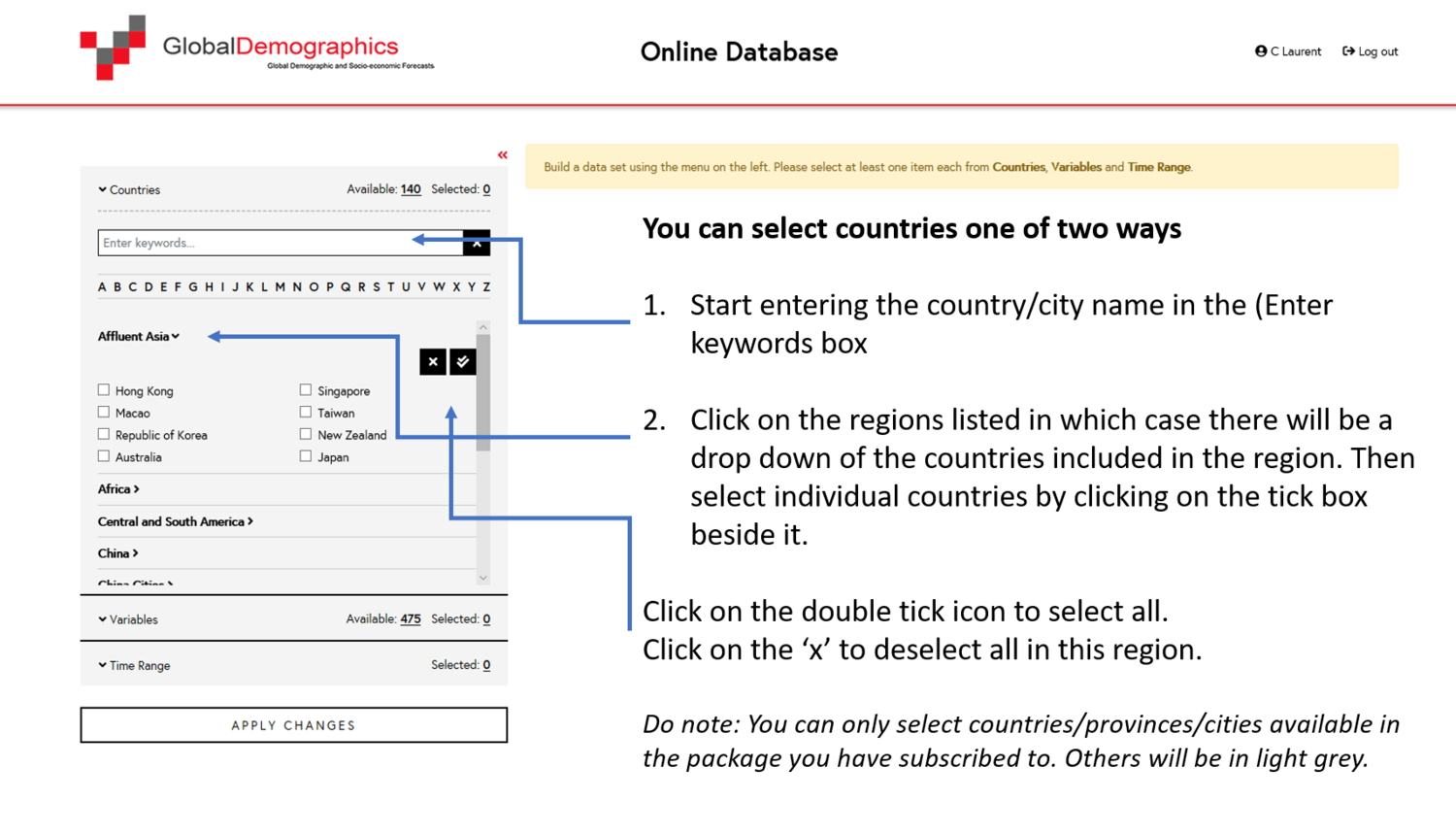
See the full country list by region, or the list of China provinces and cities.
This works the same way as selecting countries. The variables are organised into logical categories, shown when you open the drop-down beside ‘Variables’.
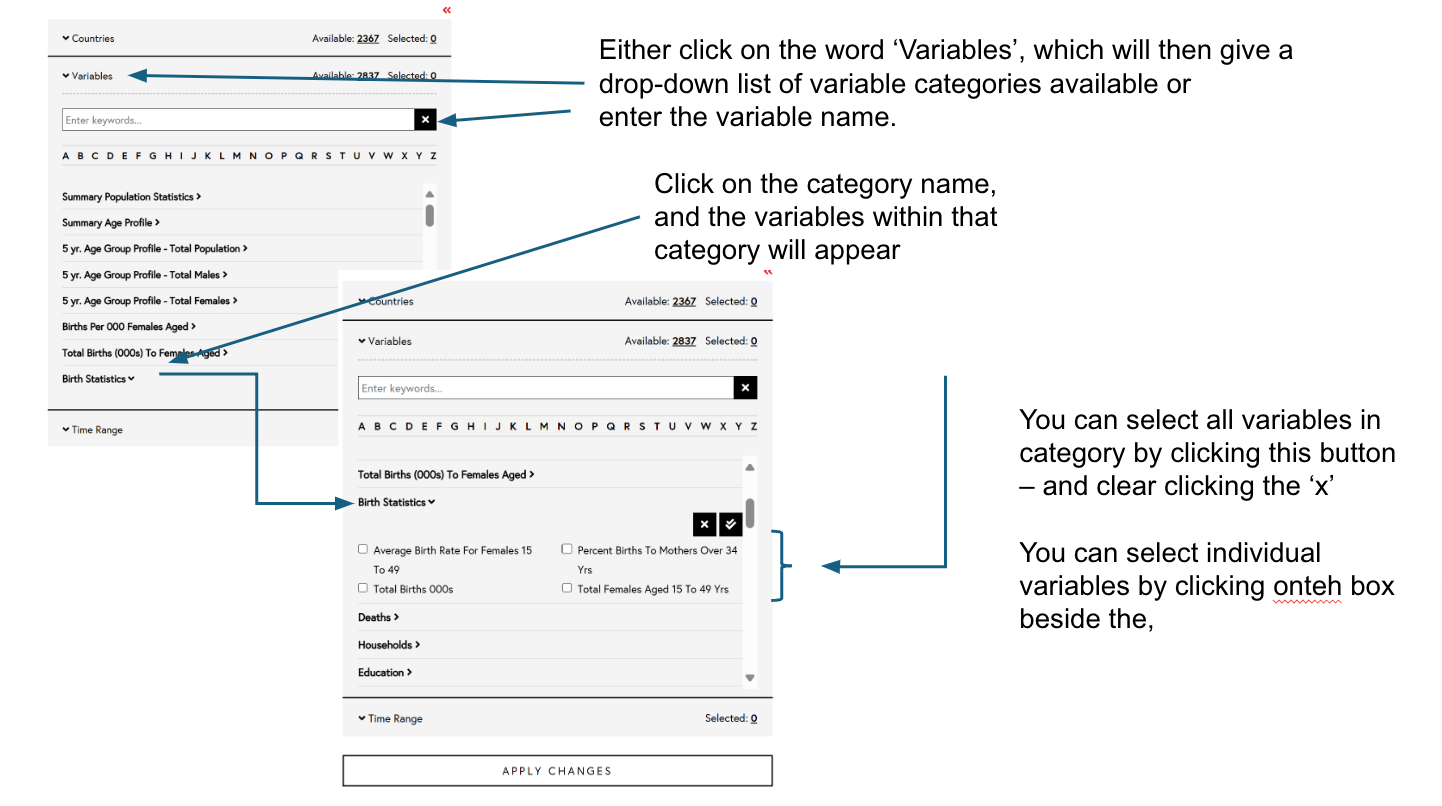
See the full list of variable categories and the variables in each one.
Email info@globaldemographics.com and we'll help you get the table you need.